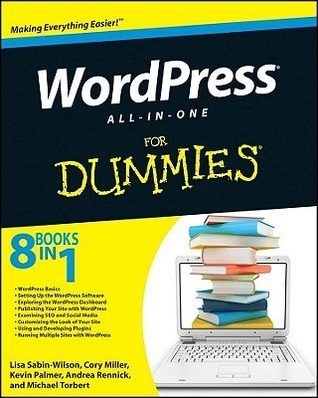
WordPress All-in-One For Dummies by Lisa Sabin-Wilson, Cory Miller, Kevin Palmer, Andrea Rennick, Michael Torbert
My rating: 4 of 5 stars
This is the broadest, most comprehensive WordPress book I’ve read so far. It covers more than WordPress for Dummies (read my review), because it deals with everything from administration to design to development. I skimmed the first 4 books which dealt with the basics. I especially liked the sections on SEO and theme development. It also covers plugin development and Network/Multisite.
I re-read this book to learn more about working with theme template files. It has excellent explanations of custom fields, custom post types, and custom taxonomies.
The 8 mini-books included in this book are authored by several WordPress stars: Lisa Sabin-Wilson of E.Webscapes, Cory Miller of iThemes and WebDesign.com, Kevin Palmer of Convertiv, Andrea Rennick of WPMUTutorials.com, and Michael Torbert of Semper Fi Web Design and developer of the All in One SEO Pack plugin.
Security
Secure wp-config.php by adding the following code to the top of the .htaccess file:
<Files wp-config.php>
Order Allow,Deny
Deny from all
</Files>
- Change the database table prefix.
- Set permissions for wp-config.php to 640.
- Move the wp-content directory outside the WordPress installation directory. Update the path in wp-config.php. See the WordPress Codex: Editing wp-config.php.
- For more security tips, see the WordPress Codex: Hardening WordPress.
Moving to a new host
- Back up your current database.
- Back up your current wp-content directory.
- Create a new database with your new host.
- Import your database backup into this new database.
- Install WordPress with the new host.
- Edit wp-config.php to included the new database name, username, password, and host.
- Upload the wp-content directory to the new host.
Social media
- Sociable is better than ShareThis, because it requires fewer clicks to share content.
- Use Social Mention for free social media and sentiment tracking of your brand.
SEO
- Use the permalink format /%postname%/, or, if your site has focused categories, /%category%/%postname%/.
- Create breadcrumbs with the Yoast Breadcrumbs plugin.
- Add pagination with the WP-PageNavi plugin.
- Show only excerpts on archive pages. Prevent search engines from indexing archives other than the category archives. Use the All in One SEO Pack plugin and Robots Meta plugin.
- In the All in One SEO Pack plugin, select No index for archives and tag archives.
Themes and theme frameworks
- Premium themes: iThemes, StudioPress, WooThemes, Press75, Headway Themes
- Free theme frameworks: Theme Hybrid, Carrington, Thematic
- Premium theme frameworks: Genesis, iThemes Builder, Headway
Theme development
- Use
stylesheet_directoryinstead oftemplate_directoryin child themes. - Use the
post_class()tag to insert specific HTML into a template that can be styles with CSS. - Action hooks let you latch in a specific function during the loading of a theme.
- Filter hooks allow you to modify data while it passes to the theme or browser.
Custom post types, taxonomies, and post formats
- The Custom Post Type UI plugin lets you create custom post types from the admin area.
- Custom post types are used for posts other than post or page.
- Custom taxonomies are used for classifying posts, similar to categories and tags.
- Post formats define the style of the post, such as audio, image, link, or video.
Plugin development
- The
extract()function takes an array of attributes and breaks the information into individual variables. - Use
require_once()in plugin files to load other PHP files.


Miscellaneous tips
- Use the W3 Total Cache plugin to minify HTML, CSS, and Javascript.
- The Advanced Text Widget plugin lets you include PHP code in widgets.
- Use subdomains, not subdirectories, for Multisite (Network).

Pingback: Review: WordPress Web Design for Dummies by Lisa Sabin-Wilson - OptimWise: Web Design for Small Business
Pingback: Review: The Complete Idiot’s Guide to WordPress by Susan Gunelius | OptimWise