
Do you get spam through your website contact form? Depending on how high-profile your company is, you can receive anywhere from a daily barrage to a slow trickle of spam. Though it’s nearly impossible to completely stop spam, we can take steps to reduce it. Here’s what we suggest.
Note: This page contains affiliate links. Please see Affiliate Disclosure.
We recommend using a contact form instead of an email address. When you put your email address anywhere on your website, regardless of whether it’s a link or plain text, spambots will harvest it. You can obfuscate your email address to make it harder for spambots to find by using a plugin such as Email Address Encoder. However, it's not likely to fool all spambots forever. Therefore, a contact form is a more effective option.
Our favorite contact form plugin for WordPress is Gravity Forms. It's a premium plugin, meaning that it costs money, but it's well worth it.
The simplest way to reduce the amount of spam coming through a Gravity Forms form is installing the Gravity Forms Zero Spam plugin. Just install and activate it; it doesn't require any configuration!
Another option is to use Akismet, a service from Automattic (the company behind WordPress). It integrates with many free and paid plugins, including Gravity Forms. Akismet is free for personal sites. There are paid plans for commercial sites.
You should enable Gravity Forms' anti-spam honeypot. It uses multiple techniques to detect spam.
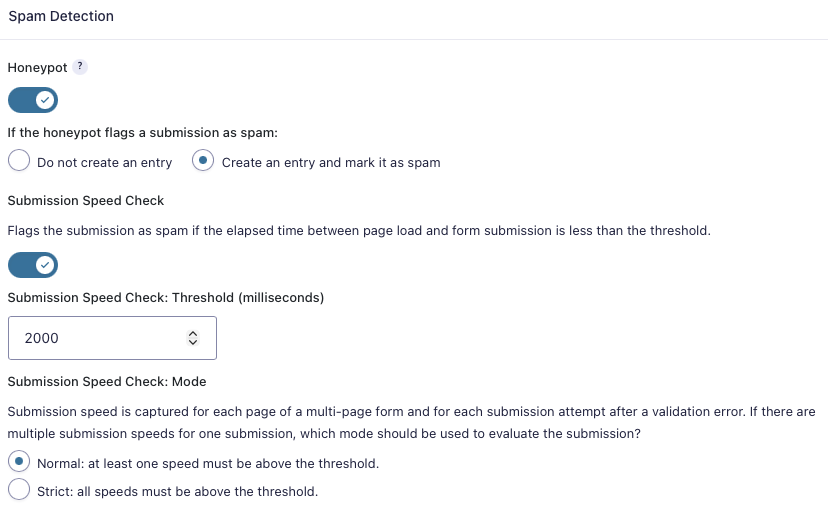
Sometimes the above steps are enough to significantly reduce the amount of spam you receive. Wait a few days after enabling them. Then, if you're still receiving too much spam, try the next step.
Cloudflare Turnstile is a CAPTCHA alternative. We especially love that it's more private than Google's reCAPTCHA, because it doesn't harvest user data. It can be easily added to Gravity Forms via the official Cloudflare Turnstile Add-On and a free Cloudflare account.
The domain used for the website with Gravity Forms doesn't need to match the domain used for the Cloudflare account. You can even add multiple Turnstile widgets with different domains within the same Cloudflare account.
Here's how to configure the Cloudflare Turnstile Add-On.
If Turnstile doesn't work well for you, or you'd rather use Google's reCAPTCHA, try the next step.
reCAPTCHA is an improvement over standard CAPTCHA (where you need to figure out the letters and numbers in an image). That’s because reCAPTCHA is simpler for humans. According to Google (its developer), reCAPTCHA "uses an advanced risk analysis engine and adaptive CAPTCHAs … while letting your valid users pass through with ease."
It's a bit more work to add reCAPTCHA to a form than to add a CAPTCHA. However, your site visitors will appreciate the comparative ease of reCAPTCHA.
There are 2 versions of reCAPTCHA v3:
I recommend starting with Classic. If it doesn't filter enough even when the threshold is set high (see below), switch to Enterprise.
Follow Gravity Forms' instructions, paying attention to the different sections for Classic and Enterprise. You don't need to add the CAPTCHA field to your forms for reCAPTCHA v3 (that field is for previous versions).
By default, reCAPTCHA strikes a balance between security and user-friendliness. If you get too much spam, then increase the threshold by following Gravity Forms' instructions.
Frustratingly, for some sites, even reCAPTCHA lets too much spam through. Another option that can help is adding a question to your form, and only showing the form’s submit button when the question is answered correctly.
Make sure the question has only one correct answer, and is easy to think of.
This reduces the amount of automated/bot spam, but, unfortunately, human spammers will still be able to get through (though this should reduce the number that do).
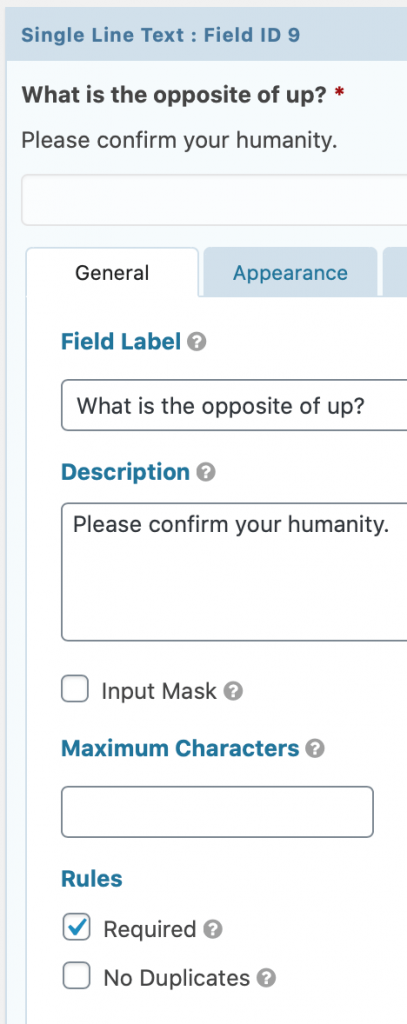
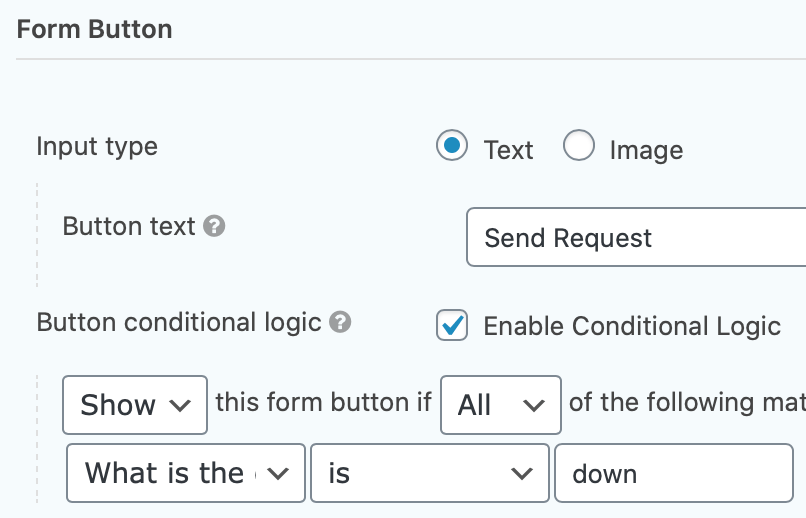
As a businessperson, you have better things to do than fight spam coming through your website. Let OptimWise handle it for you. We provide comprehensive website maintenance. Sign up for your WordPress Maintenance Plan today.


Another way is to outsource contact forms. I use Beep.IM as a point of contact for my clients. They create a custom url which I can give to my clients and have them contact me initially. This way, if I no longer wish to be contacted, I simply remove the link from my website.
Thanks for the suggestion, John!
I use a contact form builder called Ivertech Spam Free Contact (https://spamfreecontact.ivertech.com). It also has reCaptcha but it doesn't require me to create a site key and secret key at Google. I simply clicked on the checkbox to enable the reCaptcha feature. The cool thing about it is that it has AI (Artificial Intelligence) built-in to detect spams. You can “train” their AI algorithm to recognize spams according to your preferences. I have been using it for a few weeks and I haven't gotten any spams so far.
The only downside is that it’s not built as a WordPress plugin. You will need to copy their html code and paste it to your site manually.
Thanks for sharing what's working for you, John!